August was database month — not by choice. Four active projects hit data-related bottlenecks within the same two-week window. Query performance degraded. Migrations broke. Data integrity issues surfaced in production. Every problem traced back to the same root cause: insufficient upfront data modeling.
The schema is the product
When you rush through database design, you pay for it later. We had a project where user profiles, preferences, and notification settings were stored in a single wide table with forty-two columns. Queries were slow, migrations were risky, and adding a new preference meant altering a production table.
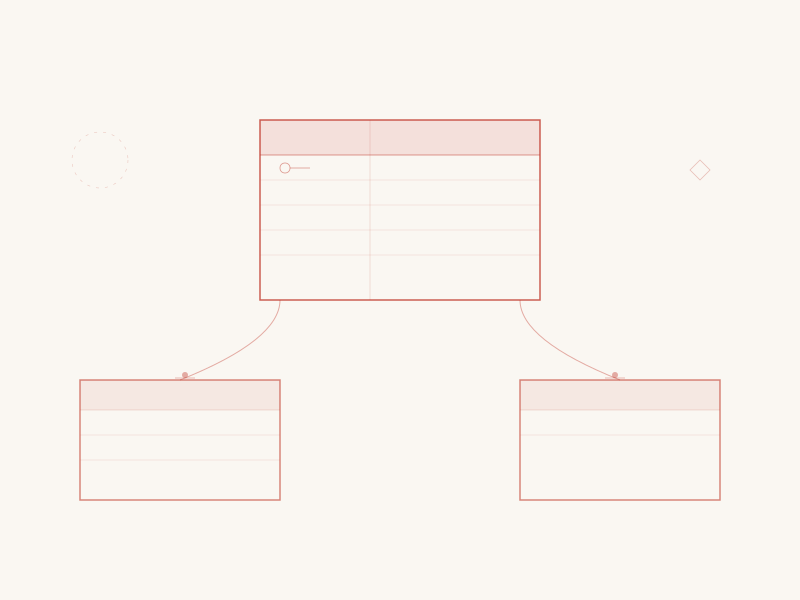
The fix was normalization — splitting the table into focused entities with clear relationships. Profiles contain identity data. Preferences contain settings. Notification configs contain delivery rules. Each table is small, each query is targeted, and each migration affects only the relevant entity.
Choosing between SQL and document stores
We use both PostgreSQL and MongoDB across our projects. The choice depends on the data, not the trend.
Use relational databases when your data has clear relationships, you need transactional integrity, or your queries involve joins across multiple entities. An e-commerce platform with orders, line items, products, and inventory is a natural fit for SQL.
Use document stores when your data is hierarchical, schemas vary between records, or you primarily query by a single key. A content management system where each page has a different field structure benefits from a document model.
The worst outcomes happen when you use a document store for relational data or force hierarchical data into rigid tables. Match the tool to the structure.
Indexing strategy
The most common performance problem we encounter is missing indexes. A query that scans a full table of ten thousand rows feels fine in development. At five hundred thousand rows it brings the page to a crawl.
Our indexing rules:
Index every foreign key. If a column references another table, it needs an index. This is not optional.
Index columns used in WHERE clauses and ORDER BY. If you filter or sort by a column frequently, index it.
Use composite indexes for multi-column queries. An index on (user_id, created_at) serves queries that filter by user and sort by date. Two separate indexes on those columns would not.
Monitor query performance. We run EXPLAIN ANALYZE on every new query during code review. In production, slow query logs are reviewed weekly.
Migration discipline
Database migrations in production require discipline that application code does not. You cannot roll back a dropped column. Data transformations on large tables can lock the database for minutes.
Our migration rules:
Additive first. Add new columns and tables freely. Removing or renaming is always a separate, planned operation.
Backfill data before enforcing constraints. If you add a NOT NULL column, first add it as nullable, backfill existing rows, then add the constraint in a subsequent migration.
Test migrations against production-sized data. A migration that runs in milliseconds on your development database with fifty rows might take twenty minutes on production with five million rows. We maintain a staging database with realistic data volumes for exactly this reason.
The JSON column trap
PostgreSQL’s JSONB columns are powerful. They are also a trap. When you store structured data in a JSON column to avoid creating a proper table, you lose type safety, indexing efficiency, and referential integrity.
We allow JSON columns for genuinely unstructured data — user-submitted form responses, third-party webhook payloads, configuration blobs. Anything with a predictable structure gets a proper table.
What August taught us
Every database problem we encountered in August was preventable with thirty minutes of upfront design work. Sketch the entities. Map the relationships. Consider the query patterns. Plan the indexes.
A well-designed schema is invisible. Nobody notices it because everything just works. A poorly-designed schema announces itself through slow pages, broken reports, and emergency maintenance windows.
Invest the thirty minutes.